 | Entrance | Mainstreet | Wiki | Register |
|
# of watchers: 7
|
Fans: 0
| D20: 10 |

| Wiki-page rating |  Stumble! Stumble! |
| Informative: | 0 |
| Artistic: | 0 |
| Funny-rating: | 0 |
| Friendly: | 0 |
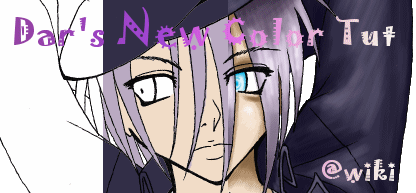
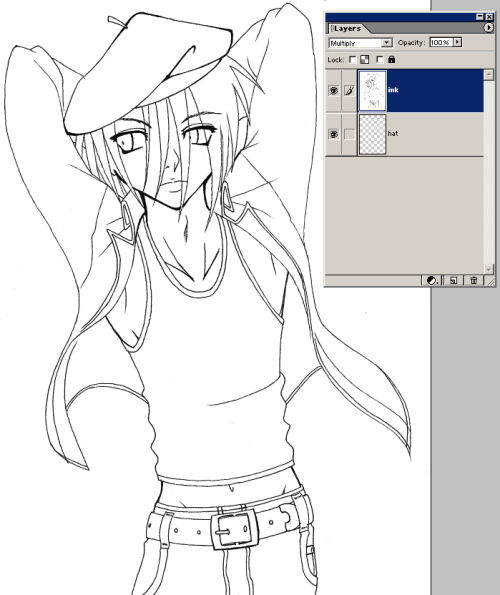 Isn't he adorable? ^^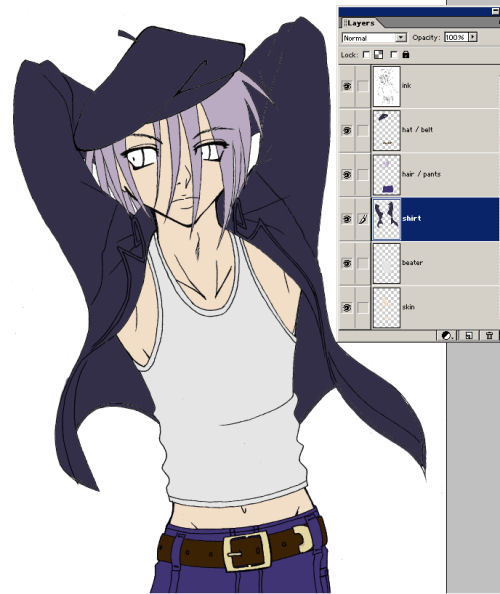
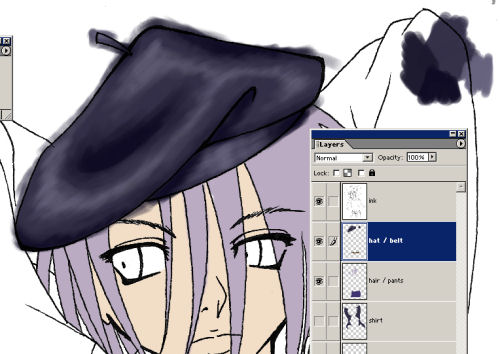 And just keep on with all your layers.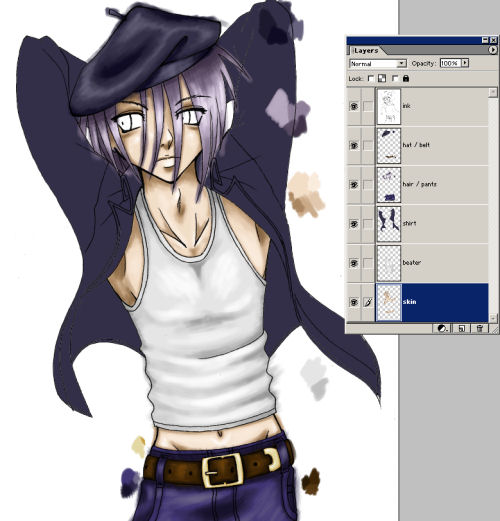
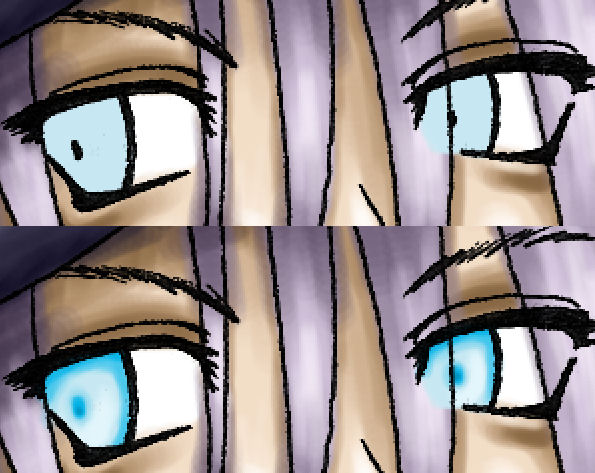
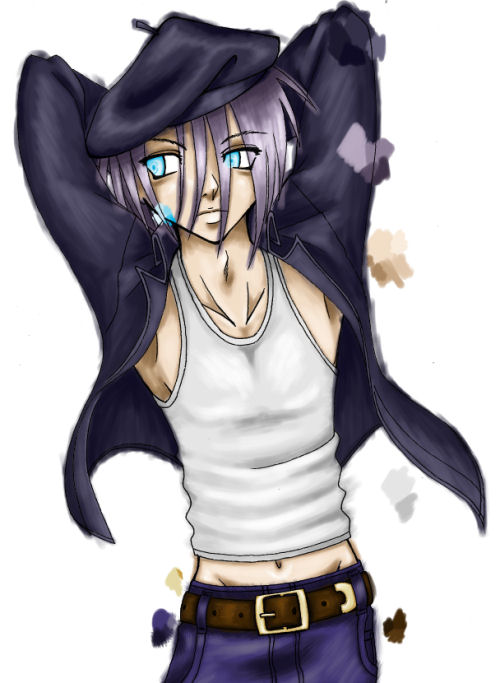
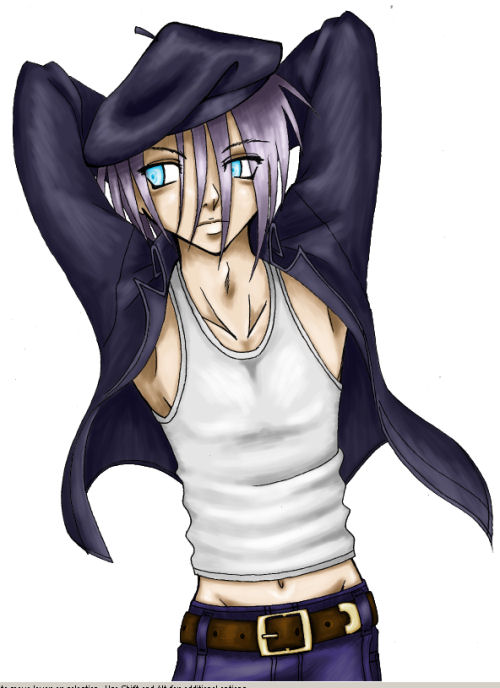
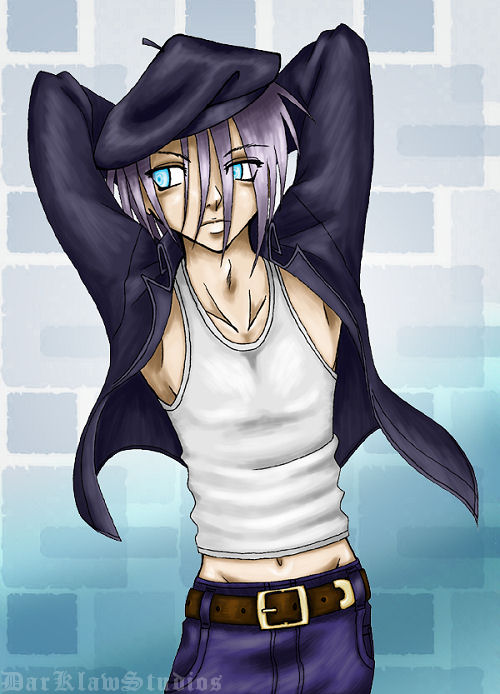
 Using soft-edge brushes and a low opacity will allow for a lot of blending. Painting is good. Try to use color, not just dodge and burn. Paint big, if your computer can handle it. Things will smooth out with the resize, and you don't have to go in with such tiny brushes. 300 dpi is good. Save often. It hurts when you loose hours worth of coloring. Going to test something? Make a back-up layer first, especially if you won't be able to undo all the changes. Make sure your lines are closed, and convert them to pixels using threshold. Flatting becomes a breeze. Whenever you find yourself in front of a mirror, study the way light and shadow wrap around things. Experiment. Happy accidents happen. But save often. Don't expect people to tell you exactly how to paint your image. Use your imagination. Warm light, cool shadow. Cool light, warm shadow. Backlighting + secondary light sources. Try it. Warm up a bit, and relax. Take a break every now and then. Keep your wrists loose. Save. Like every 7 minutes. Avoid pure white and black. Everything has some color to it. Start with the background, if applicable. Practice, practice, practice. Mad skillz don't show up overnight. Learn from your mistakes. And remember to save. August 2006
 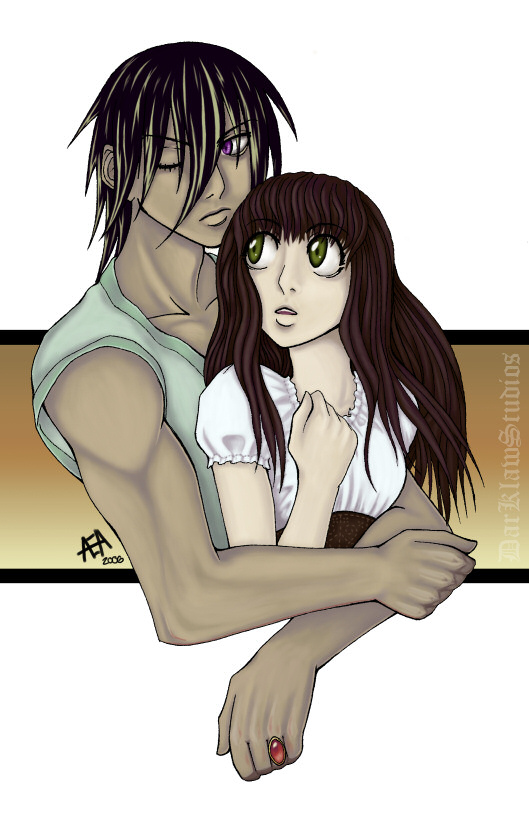 December 2006 Elftown Tutorials. Good stuff.
2006-08-11 [Zab]: Neat! :P But I have a question.. why don't you use ''lock transparency'' when you shade? Wouldn't that help so you don't have to clean all your 'mess' up afterwards, or is there a special reason for it? :P
2006-08-11 [stuffAEAmade]: With my flats, I usually end up with little transparent blips that I still need to cover up. But that does sound like an easier way of doing it. I'll try that with my next CG. :)
2006-08-11 [Zab]: Ah, okay:P Because it looked neatly colored from the start..x) I just find it easier to color the white/transpar
2006-08-11 [stuffAEAmade]: I use the magic wand selector tool, and sometimes it doesn't go right up to the edge of a line. However, clean-up's not that hard, I just use it to select the outside of the lines and delete all the messy strokes. Until I run into gaps in my lineart anyway. xP
2006-08-11 [Zab]: Oooh..clever..
2006-08-11 [stuffAEAmade]: There, now we have each learned something new. Mission accomplished! xPP
2006-08-11 [Zab]: Yay! *toodles off happily*
2006-08-14 [eyes of frost]: Now we need to know how to do backgrounds. *tapping foot patiently*
2006-08-14 [stuffAEAmade]: I have to teach myself how to CG a decent background before I can write a tutorial about it! :P
2006-08-20 [eyes of frost]: Well the one up there looks pretty damn good to me. *Still tapping foot*
2006-08-21 [stuffAEAmade]: It's just a toner pattern tinted blue and set to multiply with a gradient on top... or was the gradient set to multiply... Hmmm. =/
But, that's all it is. :)
2006-08-22 [eyes of frost]: ...But I'm still confused... T_T
2006-08-22 [stuffAEAmade]: Next time I CG something, then, I'll write a simple bg tut. :)
2006-08-23 [eyes of frost]: Woot! *licks*
2006-08-27 [*(.Randi.)*]: nifty!
2006-12-25 [Erubeus]: I got a question. What if you don't have adobe to color the picture with?
2006-12-25 [Zab]: Then you use another art program, like Gimp or Open Canvas or Paint shop pro.. x) *let's DKS answer more*
2006-12-25 [stuffAEAmade]: Pretty much. I stick to Photoshop because I'm familiar with it, but you should be able achieve the same look with those programs too.
Takes a little bit to get used to each program's interface and/or particularitie
And I have all of those programs too x3
2006-12-25 [Zab]: I want to try Paint shop pro..x)
2006-12-25 [stuffAEAmade]: I sketched a piece in it, but I couldn't figure out how to turn on my tablet's pressure sensitivity. I love it for initial art cleanup, lettering, and making banners and gifs and the like. :)
2006-12-25 [Zab]: I've never tried it..I don't even know how it looks..XD I'd probably never use it even if I got it:P
2006-12-26 [stuffAEAmade]: The interface is pretty similar to most other paint programs I've seen.
Just takes a while to figure out which effects get clumped under which tabs.
And I only use three of my paint progams of a regular basis anyway... Need to figure out that Comicworks program, though. =/
2006-12-26 [Zab]: Heh...I only use Photoshop..O__
And OC; the few times I make hair and want it to look good..x) I'd probably use it more if I had gotten it before Photoshop and was forced to get used to it:P
btw I love the texture you manage to get on everything with this method:) And I had to strain myself to not ask how you did it..x)
And I use MS Paint! XD
2006-12-26 [stuffAEAmade]: Large-ish brushes, and messy stroke-work. I think I used the rounder brushes, with a harder edge. And one of the 'natural' kinda speckle-y brushes on the pants.
I wasn't too particular about anything, just figured the main light source out and painted. What happened, happened. =3
I drew something in MS Paint the other day with a mouse. It was pretty decent. :P
2006-12-26 [Zab]: Ah:P
hehe..MS Paint is good when you just want to draw something and not care too much..x)
2006-12-27 [stuffAEAmade]: Or when you get bored on a computer that doesn't have any other painting programs. :d
2006-12-27 [Zab]: yeah..I remember that..xD
2006-12-28 [stuffAEAmade]: Added some things, since this is still pretty close to how I paint things. 
2006-12-28 [Zab]: Nice:P
2006-12-28 [stuffAEAmade]: Thanks :)
Number of comments: 31 | Show these comments on your site |
|
Elftown - Wiki, forums, community and friendship.
|